


Yapsody YapTickets
3.04.00 Reviews
App Specs
- Version
- 3.5.13
- Updated On
- License
- Free
- Downloads
- 10,000+
- Developer
- Yapsody, LLC
- Categories
- Events
- Platform
- Android
Screenshots
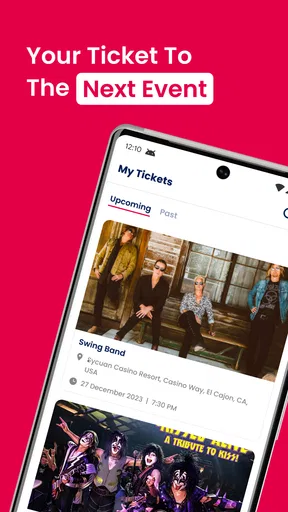
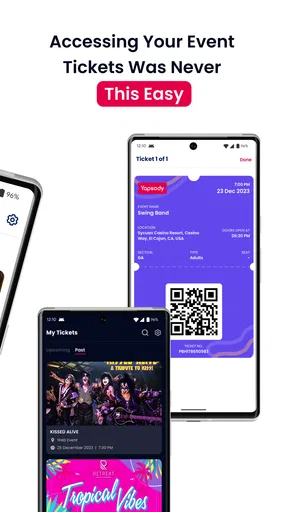
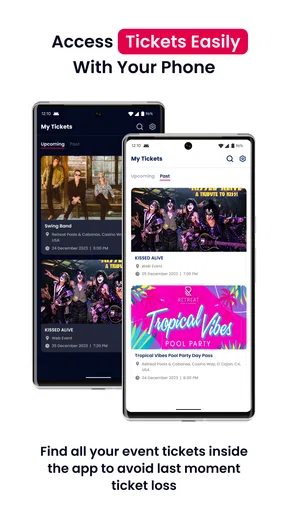
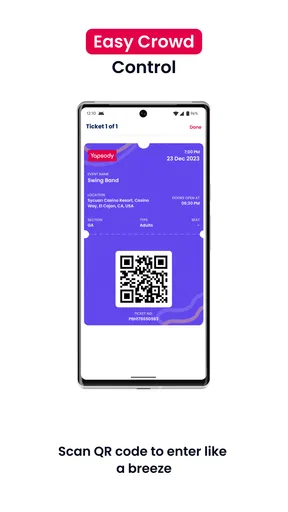
 Analysis by AppCompare
When tickets are scattered across email, messaging apps, screenshots, and different event services, finding the right pass at the right moment can become surprisingly annoying. Yapsody YapTickets approaches that small but familiar problem as a focused event app: it gives me a place to access tickets and pass them to someone else when plans change. That narrow purpose is also its main strength. I do not see it as a complete event-discovery platform or a replacement for every ticketing service. I see it as a practical companion for the part that happens after a ticket has already been issued.
The app is free, aimed at everyone, and developed by Yapsody, LLC. It has reached over ten thousand installs, which gives it some real-world presence without making it feel like a huge, universal ticket wallet. Its average rating is 3.0 from around seven ratings, so I would treat public feedback as limited rather than as a decisive verdict. The current version is 3.5.13, and it runs on Android 7.0 or later. Those details matter because this is the kind of utility I want to install quickly before an event, not discover that my older phone cannot run.
How the first week feels when tickets are moving around
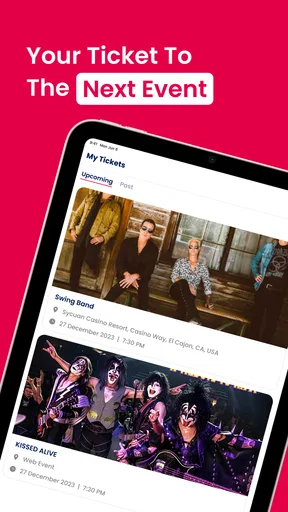
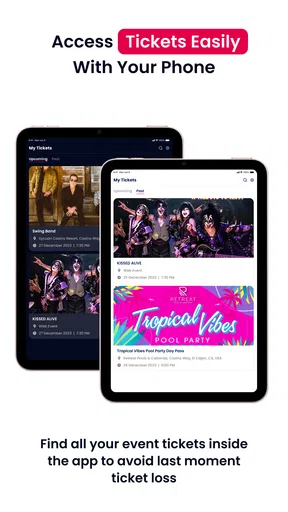
My first impression of YapTickets is that its value becomes obvious only when I have an actual ticket to manage. The app is not especially interesting as an empty screen. It becomes useful when a ticket arrives through the Yapsody ecosystem and I need to keep access organized or share it with another person. That makes the first-week appeal practical rather than entertaining: the app earns attention by reducing a specific bit of event-day uncertainty.
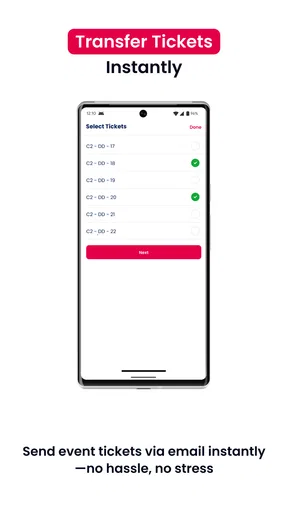
A realistic example is a small group planning to attend a concert, community event, or local performance. One person buys several tickets, then realizes that everyone needs to enter separately. Instead of forwarding a long email thread or sending screenshots, the ticket holder can use the app’s transfer-oriented workflow. The recipient gets a clearer handoff, while the original buyer has a more deliberate way to distribute access. I would still check that each person has received the correct ticket before leaving home, but the process is more sensible than relying on a cropped image in a chat.
The strongest early use case is therefore instant ticket access and sharing. That sounds simple, but simplicity is valuable here. Ticket apps often become cluttered with event recommendations, promotional material, account prompts, and unrelated features. YapTickets feels more worthwhile when I judge it as a utility for holding and passing along tickets rather than expecting it to organize my entire social calendar.
There is also a useful distinction between sharing information and transferring responsibility. Sending a screenshot tells someone what a ticket looks like; a proper ticket-sharing process is intended to make the other person the person who uses it. I would choose YapTickets when I need that cleaner handoff. If I only need to remind a friend of an event time, a normal message is faster. If I need to make sure the friend has the usable ticket, the dedicated app makes more sense.
Small habits that prevent event-day trouble
I would not wait until I am standing outside a venue to learn how the app handles a ticket. My preferred routine is to open the ticket soon after receiving it, confirm the event details, and identify which person is responsible for each pass. If I am sharing one, I would send it while everyone still has a reliable connection and then ask the recipient to open it on their own phone. This is a simple habit, but it avoids the awkward situation where one person becomes the group’s only source of entry.
Worth Reading Before You Choose

EA SPORTS FC Mobile 26 Is a Bigger Football Game, but It Takes Time

Flipboard Shows What News Apps Must Do Beyond the Feed

Switching to Android Auto Means Rethinking Your Driving Routine

Google Calendar Makes a Crowded Week Easier to Manage

Ludo King Makes the Most of the Minutes Between Plans

Baby Panda World Brings Quick Play to Modern Phones, but Its Game Library Feels Busy
For a family or group, naming the intended recipient in the message alongside the transfer is another useful safeguard. “This is your ticket” is clearer than sending several passes with no explanation. I would also avoid treating screenshots as a backup unless the event instructions specifically allow them. A screenshot may not reflect a later change in ticket status, while the app’s purpose is to provide access through a more controlled route.
These are not flashy features, but they reveal where the app can earn a place during the first week. It helps turn ticket handling into a short checklist: receive, inspect, share when needed, and confirm that each guest can access their own pass. That workflow is more dependable than searching through old conversations five minutes before doors open.
Whether it keeps earning space month after month
The harder question is not whether YapTickets can be useful once. It is whether I would keep it installed between events. For frequent attendees, the answer is more likely to be yes. Someone who regularly receives tickets through Yapsody, coordinates groups, or often transfers a pass may appreciate having a familiar destination ready. The repeated value comes from removing the need to rediscover the process each time a new event appears.
For occasional attendees, the case is weaker. If I go to one event every few months and each ticket arrives through a different provider, a dedicated app can feel like another temporary account and another icon to maintain. In that situation, the app is worth installing when it solves a current ticket problem, but I would not automatically assume it deserves permanent space. The best long-term choice depends on how often my events actually use the service.
This is where YapTickets differs from a general mobile wallet. A general wallet may be better for storing many kinds of passes in one place, especially if I already use it for boarding passes, loyalty cards, or other credentials. A ticket provider’s own application may also offer richer event details, purchase history, venue information, or customer support around a specific booking. YapTickets has a narrower identity. Its advantage is focus on access and sharing; its trade-off is that I should not expect it to replace every part of those broader tools.
I would keep it installed if my routine includes recurring Yapsody events or frequent ticket transfers. I would probably remove it after a single event if I have no upcoming reason to use that workflow. That is not a criticism of the app so much as an honest assessment of a specialized utility. A tool can do one job well and still not become a daily habit.
Who gets the most lasting value
YapTickets is a good fit for people who buy for friends, split attendance across a group, or routinely need to hand a ticket to another person. It is also useful for anyone who dislikes carrying the original buyer’s phone through an entire event. Giving each attendee direct access can make the group less dependent on one person arriving first, keeping a charged battery, and staying near the entrance.
It is less compelling for someone who attends events alone and rarely changes plans. That person may only need to open a ticket once, making the app’s sharing focus largely irrelevant. It is also not my first choice for a person who wants one central place for tickets from many unrelated services. A broader wallet or the original ticket seller may offer a more complete overview in that case.
One subtle benefit appears when plans change at the last minute. If a friend cannot attend, the ticket can be directed to the replacement guest instead of leaving the original buyer to explain a chain of screenshots and confirmation messages. I would still verify the recipient and event before completing anything, but a dedicated transfer path is better suited to that situation than casual forwarding.
Maintenance, friction, and the reasons fatigue can set in
The maintenance burden looks modest, but it is not zero. I need to keep the app installed, remember which events belong there, and make sure the right account or ticket source is being used. Every specialized app adds a little mental overhead. If I only encounter YapTickets once, I may forget how it works by the next event, which reduces some of the benefit of having a dedicated tool.
The version number, 3.5.13, suggests an actively maintained product rather than an abandoned experiment, but a version label alone does not tell me how smooth every ticket scenario will be. I would still update before an important event rather than assuming an old installation will behave perfectly. I would also open the app before travelling, since discovering an access problem at a venue is much more stressful than testing the basic workflow at home.
Another source of friction is the boundary between the ticket issuer and the access app. If I am unsure whether a ticket should be opened in YapTickets, the original Yapsody purchase flow, or an email, I may spend more time navigating than expected. This is especially relevant for people who are not comfortable with ticket transfers. The app can simplify the handoff, but it cannot remove the need to read the event’s instructions carefully.
The biggest long-term trade-off is focus versus completeness. A focused app can be easier to understand when I only need ticket access and sharing. At the same time, a broader ticketing platform may reduce app switching by combining purchase records, event information, support, and entry tools. I would choose YapTickets for the handoff problem, not because I expect it to be the richest event-management environment.
Where repeated use may become tiring
Ticket management becomes tiring when I have to repeat similar steps for every event without gaining anything beyond the immediate pass. The app’s value can fade if my tickets mostly come from other systems or if I never share them. In that case, installing a dedicated utility for occasional access may feel like more administration than convenience.
Group organizers may also feel the burden more strongly. When one person buys for everyone, they must pay attention to which ticket goes to which guest and whether each transfer was understood. YapTickets can support that workflow, but it does not eliminate the organizer’s responsibility. I would keep a simple private note of names and event details until everyone confirms receipt. That is a practical safeguard, especially when several tickets look similar.
There is a second kind of fatigue: uncertainty. If a user is not sure whether a transfer is final, reversible, or immediately visible to the recipient, hesitation can undermine the app’s main promise. I would avoid experimenting for the first time with a valuable event ticket. Practising with the interface before a deadline, when possible, is a better approach than clicking through under pressure.
People who value minimal app clutter should make a deliberate decision after their event. If another Yapsody event is coming soon, keeping YapTickets installed is sensible. If not, removing it and reinstalling it later may be reasonable, provided the ticket is not still needed. I would never uninstall a ticket app while an upcoming pass remains there unless I had already confirmed another reliable way to access it.
My long-term verdict on YapTickets
After looking past the novelty of having a separate ticket app, I see YapTickets as a useful specialist rather than an essential app for everyone. Its best quality is the clarity of its purpose: ticket access and sharing are the center of the experience. That makes it more appropriate than a generic messaging app when another attendee needs their own pass, and less appropriate than a full event platform when I want discovery, booking, support, and a complete event history in one place.
The free price lowers the barrier to trying it, and the Everyone content rating makes it suitable for a broad audience. The Android 7.0 minimum also keeps it accessible to people using older compatible devices. Still, the average rating of 3.0 from a small number of ratings tells me to approach it with realistic expectations rather than assuming universal smoothness. I would test the workflow early, keep the original ticket information available, and avoid making it the only plan for an important entry until I know how my particular event behaves.
My recommendation is straightforward. Install it when a Yapsody ticket needs to be shared, especially for a group where every guest should enter independently. Keep it if that situation happens regularly. Skip it as a permanent installation if you rarely attend events, never transfer tickets, or already have a trusted wallet that handles all your passes comfortably. YapTickets earns lasting space through repeated ticket handoffs, not through novelty alone.
For me, that is a respectable result. It does not need to become a daily app to be worthwhile. If it saves a group from one confused entrance queue, prevents the buyer from carrying everyone’s access, and gives a replacement guest a clearer route to the event, it has done its job. I would recommend Yapsody YapTickets to people whose ticket routine matches that job, while advising everyone else to treat it as an occasional, purpose-built tool rather than a universal ticket wallet.
In the end, Yapsody YapTickets is at its best when installed with a specific event in mind and used with a little preparation. Open the ticket early, share it deliberately, confirm that the recipient can access it, and keep a backup understanding of the booking details. Follow that routine and the app can remove a real point of event-day friction. Ignore the routine and even a focused ticket tool may become another source of last-minute confusion.
Pros
- Simple ticket purchasing experience for supported events
- Useful mobile access to tickets without printing
- Event details and ticket information stay in one place
- Convenient for venues already using the Yapsody platform
- Digital tickets can help reduce paper waste
Cons
- Availability depends on events hosted through Yapsody
- Some features may require an internet connection
- Ticket fees and service charges can increase the final cost
- App usefulness is limited outside supported venues and events
- Refunds or ticket changes may need to be handled by the event organizer
FAQs for Yapsody YapTickets
What is Yapsody YapTickets used for?
Yapsody YapTickets is a mobile ticketing app designed to help users access and manage tickets for events created through the Yapsody platform. Depending on the event, you may be able to view your ticket details, present a digital ticket at the entrance, and check event information such as the date, time, venue, and admission instructions. Its usefulness depends on whether the organizer supports YapTickets.
How do I receive or access my tickets in YapTickets?
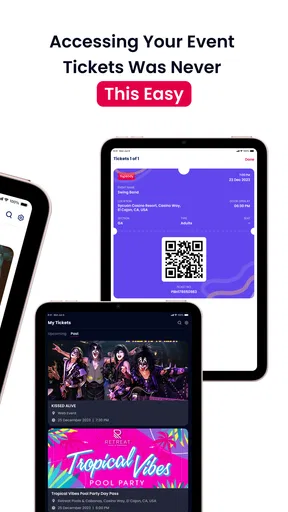
After purchasing or being assigned a ticket for a compatible event, you generally access it using the account or email associated with the booking. Open the app, sign in if requested, and look for your ticket or order details. Before traveling to the venue, confirm that the ticket appears correctly, including the event name and barcode or QR code, because organizer-specific delivery and login requirements may vary.
Can I use YapTickets without an internet connection?
Offline access can depend on the event setup, app version, and how the ticket was delivered. It is safest to open the ticket while you still have a reliable internet connection and allow the relevant ticket information to load before arriving. Some venues may also require a live barcode refresh or account verification, so downloading or saving a screenshot should not be assumed to work everywhere.
Is Yapsody YapTickets safe for entering events?
YapTickets is intended to provide digital admission credentials, but the final entry decision is made by the event organizer or venue staff. Keep your account details private and avoid sharing screenshots, QR codes, or barcodes with other people, since duplicated or already-used tickets may be rejected. Always obtain tickets through an official Yapsody or organizer link and keep your purchase confirmation available.
What should I do if my ticket is missing or the app is not working?
First, check that you are signed in with the same email address used during the purchase and verify your internet connection. Updating the app, restarting it, and reviewing your confirmation email may resolve common access problems. If the ticket still does not appear, contact the event organizer or Yapsody support with your order information. Arrive early, since venue staff may need time to verify your booking manually.


